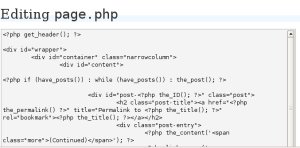
If you have a WordPress blog, you could easily customize it and look like a pro 😉 You have to know where to look and what to tweak. Today let’s take a quick look at the style.css file of your WordPress theme.
How to locate your style.css file
From the Dashboard go click Presentation then proceed to Theme Editor. You could select the particular theme you want to tweak. Hmmm. Maybe if you’re using the White As Milk Theme, you might want some color changes. If you like the way that it is minimal but, say, you don’t really like the color scheme, you could change it to fit your needs.
For example, you already have the theme file open and you would like to save it, make sure that the update file button is there, otherwise, any changes you make would not be added. You might have to save the customizations on your computer then upload the file later on. In case you do that, name the file as style.css, as is customary.
Anyhow, if you already have the style.css of the theme open, you could try changing some stuff like the color of the header text link. It’s #header a and the information in the curly braces would be the stuff to edit. In case you want it to be some funky kind of orange, you could try having the color set from #3b6ea5 to #ff7b01. There’s also a value for margin which you could edit.
A part of style.css
#header a{

   font-size:2em;

  color:#3b6ea5;

  margin-left:220px;

}
which could be changed to:
#header a{

    font-size:2em;

  color:#ff7b01;

  margin-left:120px;

}
In case you’d like all your links to have this particular shade of orange, you’d have to look for the a tags in your style.css file and change them accordingly. You could even set the colors for a:hover and a:visited.
I like the White as Milk theme but I wish that the links on my sidebar would be aligned to the left instead of the right. Hmmm. Where could it be changed?
/* Begin Sidebar */

#sidebar {

 width:180px;

    float:left;

 text-align:right;

   }
It makes sense to find it there in the #sidebar section. If you don’t like the text to be aligned to the right, you could remedy that by changing it to be text-align:left 🙂
Those are just minor changes, really. But if you feel better by those minor changes on your blog, then why not do them? Sometimes you just have to go with your ‘design eye’ so to speak. Learning some basic CSS would be awesome too. You don’t have to be a geek to learn but it would certainly require some time and effort.
[tags]wordpress,themes,templates,css[/tags]
Originally posted on September 17, 2006 @ 8:15 am